|
|
|
 |
 |
 |
Water Body Name Matching Utility |  |
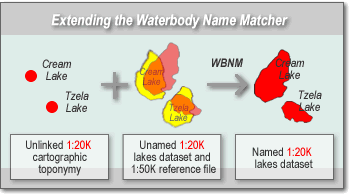
General InformationThe Water Body Name Matching (WBNM) utility is a plug-in to the JUMP Unified Mapping Platform that provides tools for conflating water body toponymy to water body features, for verifying the results and for editing spatial features. In the context of the WBNM, conflation is the process of identifying digital mapping features that are logically identical but have slightly different spatial representations. Using sophisticated matching and conflation algorithms, the WBNM allows point features and their toponymetric attributes in one geospatial dataset to be tied to features in another dataset with minimal user-intervention.
Features and FunctionsThe main functions of the WBNM are to
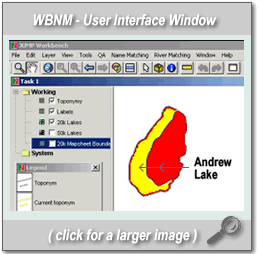
Components of the WBNM utility, as described below, are accessed through the windowed GUI of the JUMP.
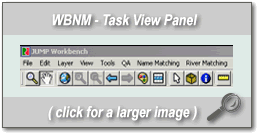
Task View PanelThe Task View Panel provides a view of the datasets under investigation as well as specific tools, such as ZOOMING, PANNING, SELECTING, LAYERING, INFO etc., for changing that view and for manipulating spatial data.
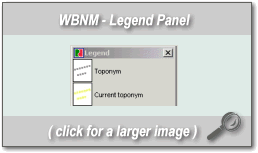
Legend PanelThe Legend Panel describes the colour schemes used to represent features in the WBNM utility.
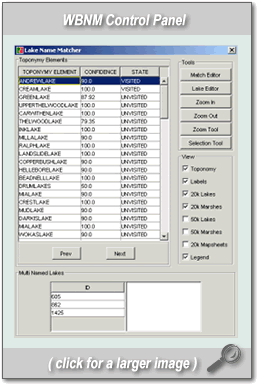
Control PanelThe main panel for controlling the WBNM utility, the Control Panel provides functions to view and navigate the datasets under investigation and tools to perform manual matches. The following features are accessed from the Control Panel: The Toponymy Table provides a view of the attributes associated with and around the current toponyms. Whenever a toponym is selected from this table, it becomes the current toponym and the Task View Panel zooms to that toponym and any water bodies matched to it. The user can navigate the toponyms by selecting them directly from this table. The Multi-Named Waterbody Table provides a summary of any water bodies that have been matched to two or more toponyms with different names, i.e. a waterbody that has been matched to multiple toponyms all representing the same name is not considered multi-named. Each time a waterbody is selected from this list, the Task View Panel zooms to that water body and the toponyms matched to it. The View Controls allow certain layers in the Task View Panel, and features in those layers, to be toggled on and off. The user can also toggle from the Task View Panel itself, but only by layer. The View Controls are more flexible in that they enable the user to toggle on and off certain features in a layer without affecting other features in the layer. The Editing/Viewing Tool buttons allow the user to modify and view the data. The Match Editor and Lake Editor buttons bring up separate control sub-panels:
The Zoom In, Zoom Out and Selection Tool buttons allow the user to zoom in, zoom out and interactively select features from the Task View Panel, respectively.
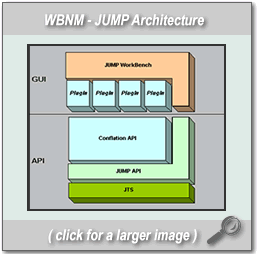
Technical InformationThe JUMP Workbench provides an interactive operating framework for the WBNM utility. Included within this framework are standard application File, Edit, Window and Help functions, accessed through familiar menus and dialogue boxes. The JUMP Workbench includes modules for loading datasets in many common formats including, Shapefiles (.SHP), Geographic Markup Language (.GML) and Well Known Text (.WKT). Because the framework, conflation and matching tools are written in Java, they work on many operating systems. Additionally, the applications are open source and can be customized to suit many situations. For more information on the JUMP application and related technologies, please visit the JUMP website.
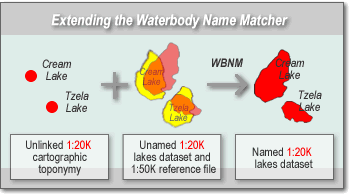
Extending the Water Body Name Matching Utility to Other ApplicationsThe JUMP's ability to access many common spatial data formats and the open source Java development language of both the framework and the plug-in enable the functions in the WBNM utility to be used to solve many similar conflation and data-agreement tasks. While the WBNM utility was developed specifically to conflate lake features and unmatched toponymy in datasets for the province of British Columbia, its functionality is easily applicable to other similarly modeled data-sets. Please read the technical paper (above, at right) for more information on extending the WBNM plug-in, or contact pramsey@refractions.net for more information.
|
|
 |
http://www.refractions.net |